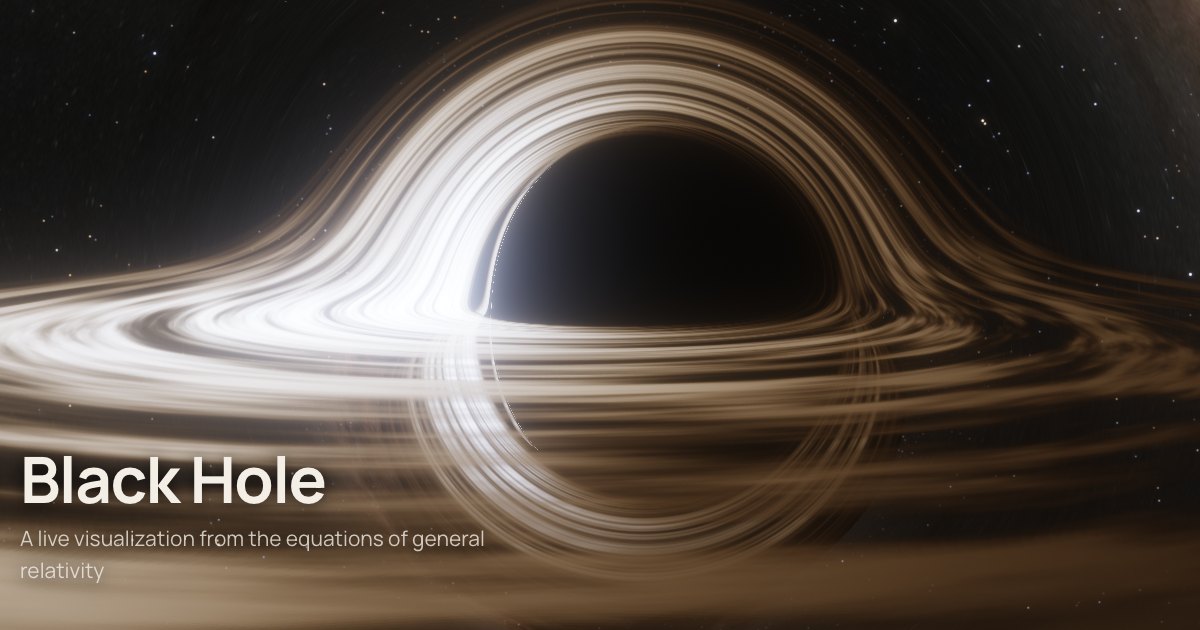
I typed a single sentence: "I want the most realistic yet still performant black hole visualization on my site — something that just goes WOW. All by the formulas, with mathematical precision." Claude Opus asked four questions, I answered them and added "build it and deploy it." A little over an hour after we'd settled on an approach, a spinning black hole went live on the site: every one of its pixels is a photon traced backward in time through the Kerr metric. Below is how it was built, where things broke, and how they got fixed.
Four questions and one fork in the road
At first Opus didn't write a single line of code — it asked questions. What did I want: pure spectacle, a lab, or a show that explains itself? (A show that explains itself.) How should the disk look: physically honest, with one side several times brighter and bluer, or "like in Interstellar," where those effects were deliberately taken out for the sake of looks? (Physics, but with switches, so you can see how you get from it to the movie.) Can you fall in? (Of course.)
There was really just one big fork: accuracy or speed. Honestly tracing rays through the metric of a spinning hole every frame is expensive — on a phone the picture turns to mush. Precomputing a lookup table is fast, but that only works for a non-rotating hole, and then you lose all the good stuff: the lopsided "D-shaped" shadow, frame dragging, the ergosphere.
Opus proposed a third way and explained it in one sentence: spacetime is stationary, and so is the disk, so a ray's path through a given pixel depends only on the camera. As long as the camera holds still, there's no geometry to compute — once per frame you just recolor hit points you already know: rotate the disk, account for light-travel delay and the Doppler shift. That's the "ray map": geometry is recomputed only when the camera moves, and animation comes almost for free.
Remember that argument — half an hour later I break it myself.
Physics first, pictures second
The smartest thing Opus did all evening: it didn't rush off to write a shader. First came the physics, in plain JavaScript and double precision: the Kerr metric in Kerr–Schild coordinates (they don't break down at the horizon, so light can be followed right through it), Hamilton's equations for the ray, the camera as an orthonormal tetrad, a Novikov–Thorne disk, blackbody color. And right away, tests against things known in closed form:
- the shadow boundary vs. Bardeen's 1973 curve;
- the critical impact parameter of a non-rotating hole, √27 M;
- light deflection far from the hole, 4M/b;
- the last stable orbit — 6 M with no spin and 1.2369 M at spin 0.998;
- Page–Thorne flux: a numerical integral vs. the closed-form formula;
- blackbody color vs. the Planckian locus from the CIE standard;
- free fall vs. a cycloid.
The shader then repeated this physics line for line. If something doesn't add up, you know right away where to look.
Off by one imaginary unit
The first thing to trip was the coordinate transformation. To draw the analytic shadow on top of the render, you have to convert the photon's momentum from Boyer–Lindquist coordinates to Kerr–Schild coordinates. Opus wrote the Jacobian and immediately checked it in the bluntest way possible: it pushed the metric through it and compared the result with the textbook form of Kerr. The mixed components gtr and grφ were supposed to be zero — they came out as −0.019 and 1.12.
No guessing after that: a script ran through all eight sign combinations in a second. Exactly one gave zeros — x + iy = (r + ia)·eiφ·sin θ, not (r − ia) as in the code. Both conventions show up in the literature, and which one a particular form of the metric assumes is easier to check than to remember.
Rays that shot out of the horizon
After a couple of fixes to the tests themselves, all 13 physics checks went green. Opus started looking at how many steps a ray needs and noticed something odd: for the non-rotating hole, the frame statistics showed not a single "black" pixel. So there was a shadow, but zero rays had fallen into the hole.
It turned out that near the horizon the momentum components in Kerr–Schild coordinates grow exponentially, and fixed-step Runge–Kutta simply "fired" the ray off into the sky — out to a distance of 1015 M. The fix turned out to be physical, not numerical. The innermost circular photon orbit is a point of no return: a ray that ends up inside it and is heading inward will never turn around. As a bonus, this capture condition saved steps: on average a ray gets by with 40–60.
For a nearly maximally spinning hole (a = 0.998) there were also rays that spend thousands of steps winding around near the horizon along with the rotating space. A reference integrator with error control confirmed that they fall into the hole anyway. So the GPU is allowed to give up after 700 steps and paint such a pixel black — the answer is the same.
The first frame
The first render worked on the first try — and it was genuinely beautiful. You could see the shadow, the far half of the disk whose light bends over the top and under the bottom, and the bright side rushing toward us. Opus looked at the frames itself: it ran Chrome headless but with a real GPU (an M4 Pro via Metal), took screenshots, and stitched them into contact sheets of ten or so frames each.
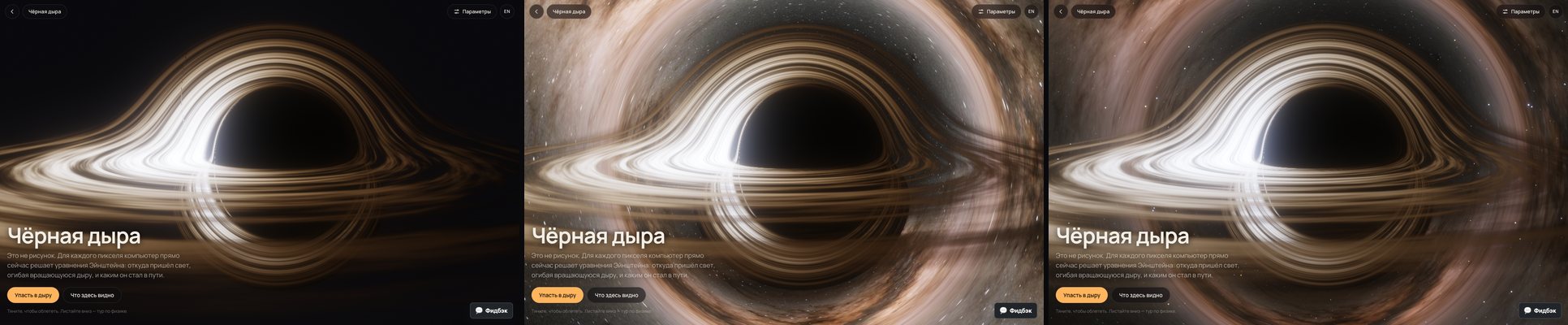
The first frame had a texture seam along the line φ = ±π and a missing sky. The seam is a classic: at the jump in angle, the texture-coordinate derivatives pick the blurriest mip level. The sky was missing because of a 404: the local PHP server was serving files from the wrong folder.
The sky that stole the show
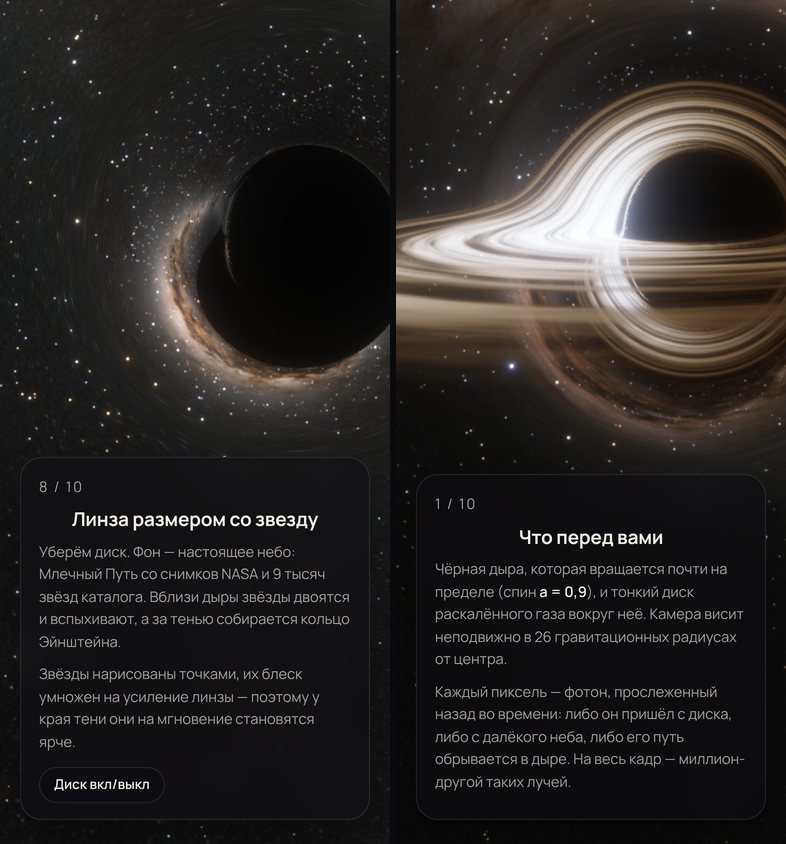
The background here is the real sky: NASA's Milky Way panorama from the Sky section plus 9,096 stars from the Bright Star Catalogue. The sky is oriented so that the Galactic center sits right behind the hole. When it finally loaded, the lens gathered the Galactic center into a huge glowing Einstein ring around the hole, and it drowned out everything else (the middle frame above).
The worse problem was something else: the stars had turned into streaks. To the lens, the panorama is an extended source, and it faithfully stretches it. Stars shouldn't behave like that: a point stays a point, it just gets brighter. The fix came in two parts. The bright stars were taken out of the panorama, and the catalog stars were put back in their place — as points, with their brightness multiplied by the lens magnification μ = Ωpixel / Ωfootprint on the sky. Now stars near the edge of the shadow honestly flare up and double, and nobody draws the multiple images on purpose.
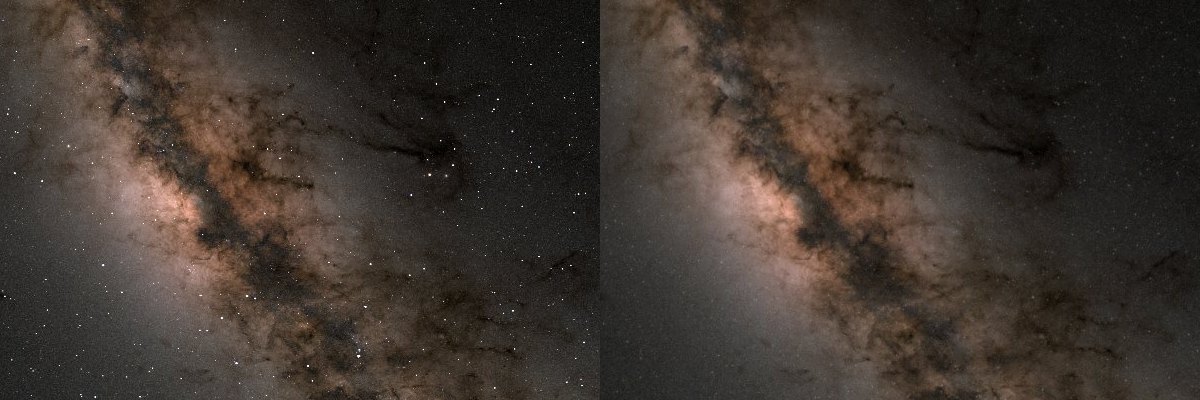
The first cleanup pass, by the way, wiped out every star there was — 32% of the panorama's pixels — and left the sky empty. The threshold had to be raised to "only what's brighter than the catalog limit," and 3% of the pixels ended up under the mask.
And then came my favorite bug of the evening. The sky brightness was cut by a factor of four — and the picture didn't change. Instead of cranking the slider further, Opus asked the live page what values the renderer was actually seeing: skyGain: 1. The initial state had simply never been passed to the renderer — the function that applies the settings was never called on startup.
The hole that slid off-center on phones
On a phone screen 390 points wide, the hole stubbornly sat at the right edge. Opus didn't bother re-checking the camera geometry: a script went through every element on the page and found the one sticking out past the screen width. It turned out to be… the table of checks in the article at the bottom of the page. At 541 pixels wide, it pushed the browser's visible area out to 561 points, the fixed canvas stretched along with it, and the center of the frame drifted right. The black hole's own table knocked the black hole off-center.
"And work on the camera, too"
While the checks were running, I added: the camera shouldn't just sit there until someone grabs it. Give me flybys over the disk, pull-backs — "super camerawork, all in one take." And direct the fall, too.
That broke the main optimization: all the savings hinged on a stationary camera. Now geometry gets recomputed every frame. The answer is adaptive resolution: the renderer watches the frame time and keeps the ray map at whatever size the GPU can manage. On an M4 Pro that's anywhere from 40 to 100% of screen resolution, depending on the shot.
The flyover itself is eight key shots joined by cubic Hermite curves, so the camera never stops or jerks anywhere. There's a move down into the plane of the disk, a skimming pass less than one gravitational radius above its surface, a climb, a big pull-back from above, and a dive under the disk. The path obeys two physical rules: the camera never enters the ergosphere, where standing still is impossible, and it crosses the disk plane only beyond the disk's outer edge. Touch the screen and you're in control. After 15 seconds of silence, the camera operator smoothly takes the camera back from wherever you left it.
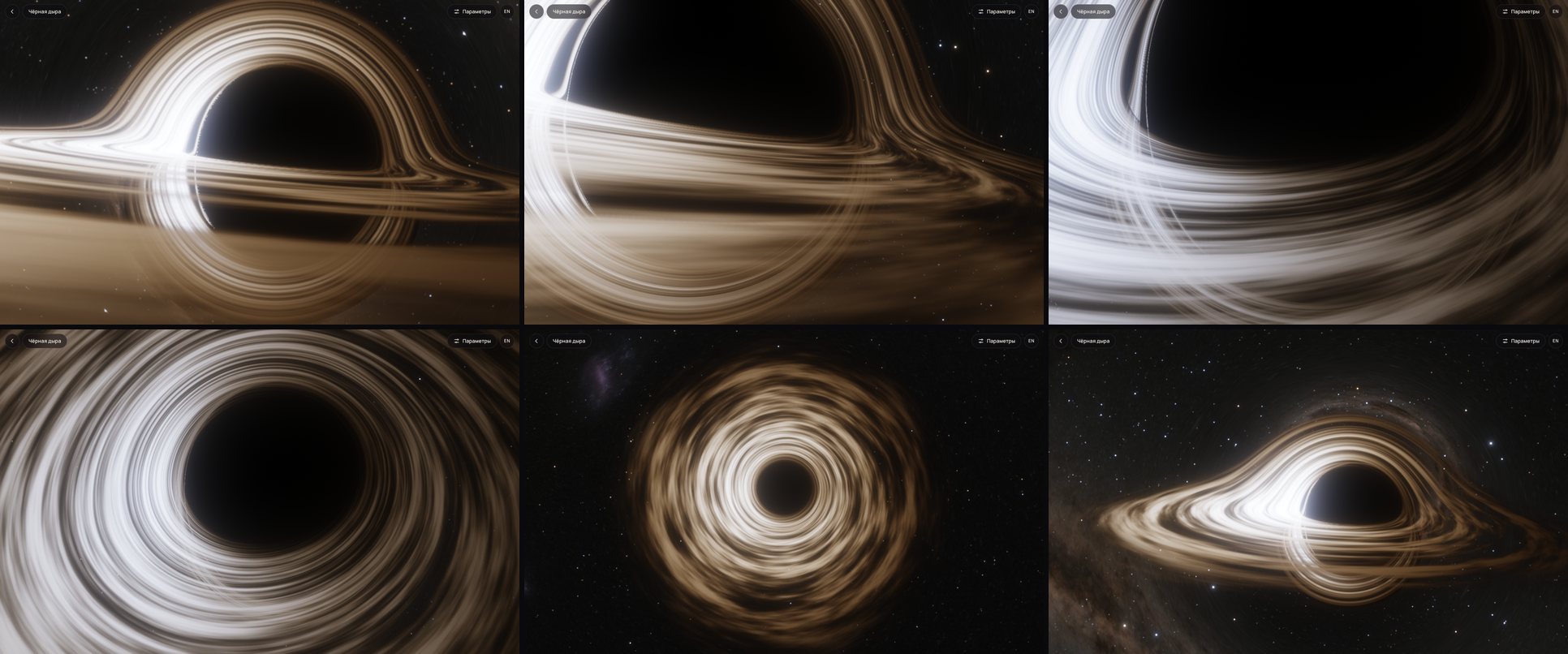
Exposure had a trap of its own. Auto-exposure based on the logarithmic average, the way photo cameras do it, failed: the huge, perfectly black shadow dragged the average down, so instead of stopping down the "aperture," the camera opened it up. What helped was a plain average plus a ban on brightening the frame beyond the original.
A fall that's worked out in advance
The first fall was honest but boring: the camera was released from rest and dropped in a straight line toward the center. The directed one works differently. Before the start, the page's code — which Opus wrote for this — tries sideways kicks, stepping down from 0.2 of the speed of light, and for each one computes the entire world line in advance — that takes milliseconds. A kick is thrown out if the camera flies away or passes through the disk, and the strongest of the ones that still end in the hole wins. The camera gets swung around the hole by 80–145°.
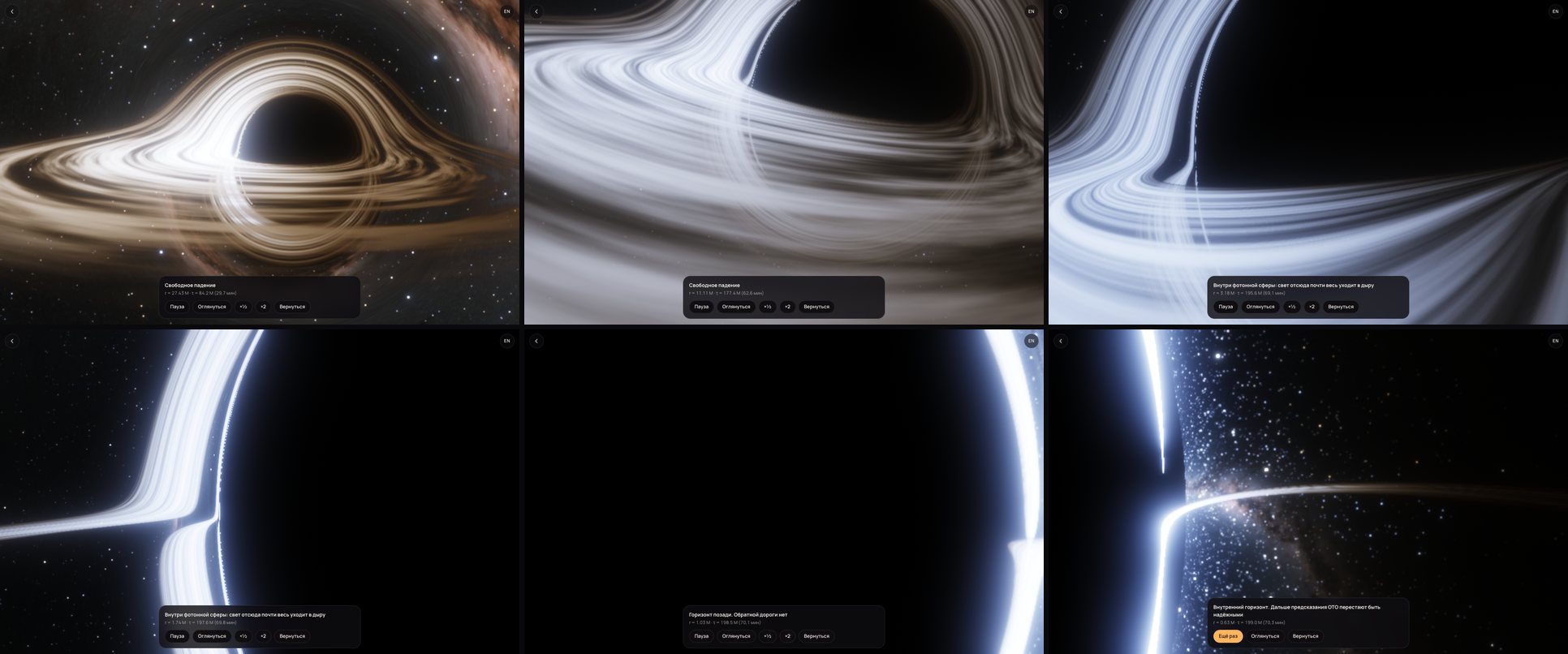
Along the way, the operator tilts the view toward the disk rushing past, rolls the camera so the horizon line tips over, and just before the event horizon stares straight into the growing shadow. Crossing the horizon, you notice nothing — there's no wall there. But a couple of seconds later the camera turns around on its own, and you see what made the whole thing worth doing: the receding Universe — the stars, the Milky Way, and the disk as a thin glowing line. For a spinning hole, the path ends at the inner horizon: there, the radiation falling in behind you is blueshifted without limit, and beyond that point classical theory can no longer be trusted. That's exactly what it says on the screen.
A dotted-line photon ring
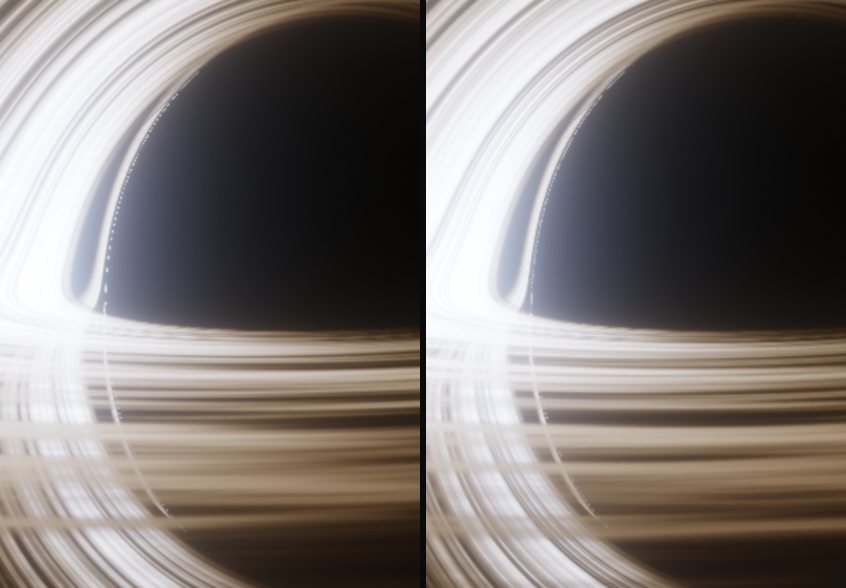
In close-ups, the edge of the shadow turned out to be decorated with a glowing dotted line. That's the photon ring — images of the disk whose light has swung around the hole by half a turn, one and a half turns and more. It's thinner than a pixel: some pixels land on it, others don't. A one-pixel filter didn't help — the gaps between the dots were 4–5 pixels.
The honest fix did: adaptive supersampling. A separate pass finds the pixels on boundaries (disk vs. shadow, the jump between images of the disk) and fires 12 more photons into each one. The pixel stores a representative hit plus a coverage fraction. In motion it's 4 photons, and only if the GPU can keep up.
Keeping it honest
Two moments of the evening were my favorites.
The first is the GPU check. A separate script opens the page in a real browser, reads the entire ray map back from the GPU, and re-traces random pixels with the double-precision reference integrator. Results across four viewpoints and spins: the pixel type (disk, sky, hole) matches in 99.95–100% of cases, the radius where the ray hits the disk is within 0.4%, and the direction to the sky is within 0.1°. Later the same script was run straight against production — 100% there, too.
The second is the English translation. Opus handed it off to a separate translator agent with the rule "facts are frozen, doubts go in the report." The translator caught two physics inaccuracies in Opus's own text. √(1 − 3M/r) isn't just light climbing out of the gravity well — it's also the slowed clocks of the moving gas. And a zero-angular-momentum observer near a spinning hole does get dragged along by the rotation of space after all. Both fixes are now in both versions.
What's simplified
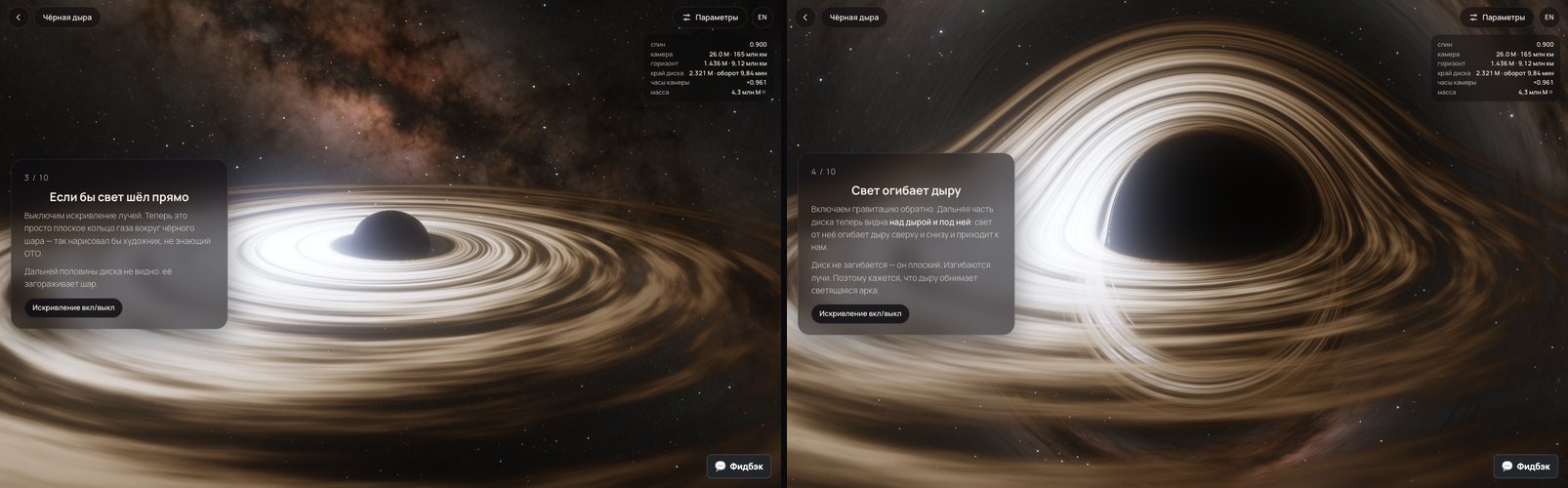
There's an honest list in the article below the visualization. The main points: the disk is infinitely thin, with no corona or jet, and the turbulent clumps are just illustration. The temperature profile, the velocities and all the frequency shifts, on the other hand, are exact. The disk temperature is tuned so the colors are visible: real disks are hotter, shine in ultraviolet and X-rays, and would look uniformly bluish-white. The sky is brightened, otherwise you wouldn't see any stars next to the disk.
How Opus did
Physics aside, three things stuck with me.
Prove it first, draw it second. The physics, with its tests against closed-form formulas, existed before the shader, so every oddity in the picture became a question of "where does it diverge from the reference?" instead of guesswork.
See it with your own eyes. Opus checked every change with screenshots from a real browser on a real GPU — on desktop, on a phone screen, during the fall, step by step through the tour. More than half the problems it found are only visible that way: the texture seam, the blown-out sky, streaks instead of stars, the off-center hole, the dotted ring.
Don't argue with your gut — measure. "The sky won't dim" — read the live page's state. "The hole slid over" — find the element wider than the screen. "A sign in the Jacobian" — try all eight variants.
My own part fit into a handful of messages: answers to four questions, "build it and deploy it," "work on the camera," and "hide the feedback button." The result: about 3,900 lines of code, 13 physics tests, page tests, a GPU-vs-reference cross-check, and 60 KB of script (24 KB gzipped) without a single 3D library.
Open the black hole, give it half a minute while the camera operator makes a lap, then hit "Fall in." Best on a computer, in full screen.